
+- Comfort Automation/ Security System Forums (https://www.comfortforums.com)
+-- Forum: Products (https://www.comfortforums.com/forum-3.html)
+--- Forum: UCMs (https://www.comfortforums.com/forum-146.html)
+---- Forum: Ethernet UCM/ETH03 (https://www.comfortforums.com/forum-113.html)
+---- Thread: UCM to Wifi (/thread-2180.html)
Pages:
1
2
- Home - 02-23-2011
What more needs to be said...
A majority of Comfort installs that I have experience of are not connected to Ethernet cabling and to do so is not an easy task.
A UCM with wireless n capability that wil connect to the Ethernet woud be a major break through and allow the iPhone upgrade that is so desperately needed a way forward.
- slychiu - 08-26-2012
We have tested such a module from Tibbo but have found that it has limitations, like only supporting WEP, so routers which use WPA would have to downgrade their security which is not a trivial task. The cost of the wifi addition is also quite substantial
There are better and cheaper alternatives which allow a wired Ethernet device to connect to a wifi network, for example the Aztech 556E, see http://www.solwise.co.uk/wireless-wl-556e.htm

This is a wireless repeater which plugs into any AC socket
It has a wireless bridge mode which allows a wired LAN to be connected to the wifi network. I have tried it myself in my house. It is easy to set up and works well (so far)
It costs only ã31 from the solwise link
Other similar products are also available from TP Link and others
- ident - 10-14-2012
Another product that can be used to connect the UCM/Ethernet by wifi is TP-Link TP-WR702N, see http://www.tp-link.com.au/products/details/?model=TL-WR702N
.jpg)
This is a very small 150 MBPS wireless N Dual Band Router
It operates in several modes; Access Point, Router, Bridge, Client and Repeater modes
To connect the UCM/Ethernet by LAN cable to w wifi network, use the Client Mode

Instructions to configure this mode are at http://www.tp-link.com.au/article/?id=395
- ukhauk - 02-10-2014
The TP-Link TP-WR702N are fantastic little devices essential for commissioning on site
- ident - 05-25-2014
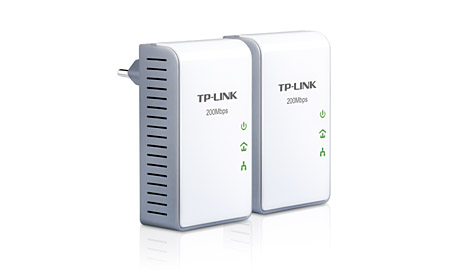
Another device for connecting UCM/ETH to the LAN are Homeplug from Aztech, TP-Link and other manufacturers

Two of these plug in devices are used. One is connected to the router by LAN cable. The other is connected to UCM/ETH03 by LAN cable. The signal is passed through the mains powerline cable (like X10 but much more reliable)
Aztech http://www.aztech.com/sg/prod_homeplug.html
TP-Link http://www.tp-link.com/en/products/?categoryid=1862
- slychiu - 09-29-2014
The Homeplug products are probably a better solution than wifi extenders for connecting UCM/ETH03 to the LAN.
They are much easier to setup, just plug and play. Simply plug in one module and connect to the router and one or more modules are other power points around the house, where the UCM/ETH03 is connected. No setup is required
HomePlug AV is a standard and products that are certfied to it can interwork
Speeds are min 200 Mbps to 1000 Mbps. The connection seems to be more stable than wifi extenders
Aztech HL113EP shown below


TP Link
- juwi_uk - 09-29-2014
You were wondering what to do with the space on the main PCB when the X10 support is removed.

Could you not build in support directly on the Comfort PCB so that it can communicate over power line communications as well as UCM/Ethernet? Connect all this up via the Chassis power connector so it\'s all \"built-in\".
J
- wiredhome - 10-03-2014
excellent idea Julian
Go on Cytech you know you want to do it

- slychiu - 10-04-2014
The X10 interface required a XM10E or similar X10 transceiver with mains plug
These Homeplug wallmount adaptors are already available and it would not make sense to manufacture one of those as these are consumer products already produced at very low cost. It would be cheaper to buy one of those at retail shops.
Do you mean then to have the ethernet connection on Comfort itself to replace the X10?
- juwi_uk - 10-04-2014
Chiu
In part yes put Ethernet on the main PCB.
Was also thinking as homeplug was a standard and though in a plug sized device (for connection and maybe heat dissipation) the actually comms components inside it would probably be pretty small footprint and also fit on the PCB (single chip?). That said I\'ve never taken one apart. I see what you mean though about you would be more expensive to manufacture.
Jules