
+- Comfort Automation/ Security System Forums (https://www.comfortforums.com)
+-- Forum: Products (https://www.comfortforums.com/forum-3.html)
+--- Forum: UCMs (https://www.comfortforums.com/forum-146.html)
+---- Forum: Ethernet UCM/ETH03 (https://www.comfortforums.com/forum-113.html)
+---- Thread: Upgrading Comfort Server Manager Software (/thread-3821.html)
- ident - 05-25-2014
With Comfigurator 3.8.8, the latest version of Comfort Server Manager can be updated automatically whenever you run CS Manager from Comfigurator
Go to Options > Settings, select UCM Connections, and select Network (Local) or (Internet)

Click on Comfort Sever Manager link in Blue (above DS Manager which is for UCM/ETH02)
If the CS Manager software is not up to date, the following dialog will be seen

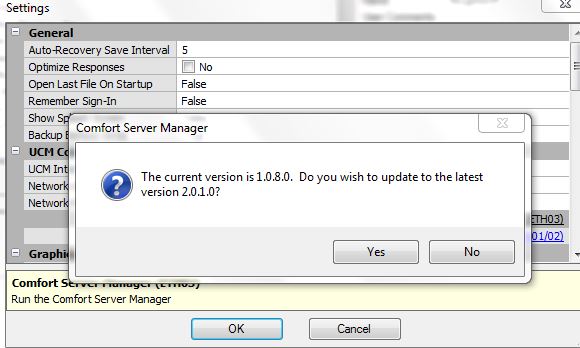
Click yes
Another pop up screen will ask if you want to install UpgradeDefaults
Allow the program to run
The new version will be downloaded. This may take several minutes
Wait for the confirmation message to pop up

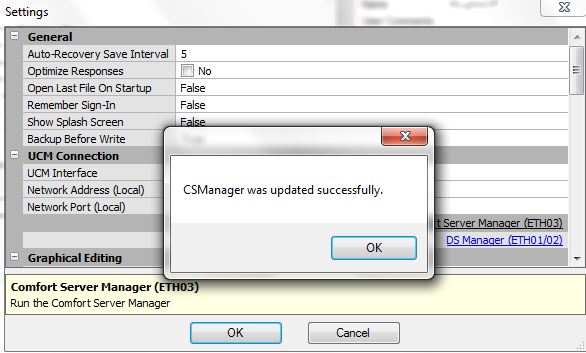
Comfort Server Manager 2.0.1 is the minimum version required to support the new features, ie email, Time sync, 2 ports
The CS Manager screen is shown below. Note the CS Manager Firmware is shown in the bottom of the screen.

The ETH03 Firmware version version is on the top left. ETH03 firmwate upgrade is described in
http://www.comfortforums.com/view_topic.php?id=3820&forum_id=113&jump_to=17036#p17036