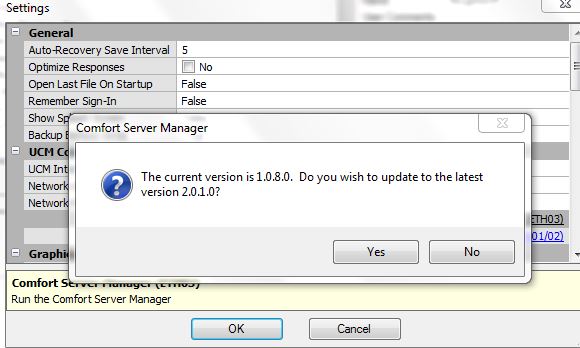
Comfort Server Manager is included in Comfigurator 3.9.0 (beta) see
http://www.comfortforums.com/forum20/3928.html
The changes are
- The 2nd Port can now be used for IR Learning. CSM 2.01 IR learning was limited to the 1st port
- Time out field is now displayed in decimal instead of hexadecimal
- minor spelling corrections
Known Issues
- In Email settings, if the user name is too long ie less than 24 characters, it is joined with the password field
[color=\"#ff0000\"]
NOTE THAT COMFORT SERVER MANAGER CAN ONLY WORK ON THE SAME NETWORK AS THE UCM/ETH03, NOT FROM INTERNET
[/color]
Comfort server Manager 2.04 has the following changes
- Added tooltips when the cursor hovers over a field
- When email settings are read from ETH03, the email password is kept but displayed as hidden characters ie ****
- fixed error in email username being combined with password without a space when the username is too long
- Allow users to enter their own SNTP server
- ETH03 firmware 2.12 is needed
Please update Comfort Server Manager to the latest version running Comfort Server manager from Options Settings and selecting Network as UCM Connection
Comfort Server Manager 2.06 is released
Comfigurator will prompt to update Comfort Server Manager 2.06 in Options > Settings > UCM Connections > select Network Local or Internet
This is required for proper time change for Daylight Saving with UCM/ETH03s SMTP Time server feature
Please upgrade to ULT 7.065 firmware so that the daylight saving time change for UCM/ETH03 Internet Time Synchronisation (SNTP) works correctly when the clocks turn back on October 26th. Right Click on Controller and select Check for updates
ETH03 firmware 2.14, UCM 7.060 and Comfort server Manager 2.06 are required to make the time sync work correctly at all times
UCM 7.065 will handle the change in time based on daylight savings, while ETH03 time sync will provide the time without Daylight savings
Please Upgrade UCM 7.060 before ETH03 2.14
To upgrade UCM firmware to the latest, right click on the UCM and select \"Check for Updates\"
ETH03 firmware 2.14 must be downloaded from
https://www.cytech.biz/download_files.php?item_id=711
Comfort Server Manager 2.09 allows 40 characters in the sending email address. This also requires ETH03 2.18
The server name field allows 60 characters maximum
Comfort Server Manager 2.10 allows Port 500 onwards to be entered in Server Mode, instead of minimum port 1000
This is to cater for Port 502 when used by UCM/Modbus in Slave Mode which is the standard Modbus Port for Modbus/TCP