12-20-2024, 07:49 AM


12-20-2024, 07:53 AM
Threshold values are internally defined as per below and will output a log message accordingly.
Battery Voltage Levels:
Battery Voltage Levels:
- voltage > 15: # Critical Overcharge
- voltage > 14.6: # Overcharge
- voltage <= 9.5: # Battery Flat
- voltage < 11.5: # Discharged
- voltage > 18.0: # Critical Overcharge
- voltage > 17.0 : # Overcharge
- voltage <= 7.0 : # Critical Low Charge or No Charge
- voltage < 12.0 : # Low Charge
Code:
Battery Voltage = 196/255 * 15.5V = 11.91V Charger Voltage = 199/255 * (3.3/2.71) * 15V = 14.25V


2024-08-08 19:07:37 DEBUG D?0101C4 2024-08-08 19:07:39 DEBUG D?0102C712-20-2024, 08:08 AM
To enabled this, go to Settings > Automations and Scenes >Automations.
Create Automation:
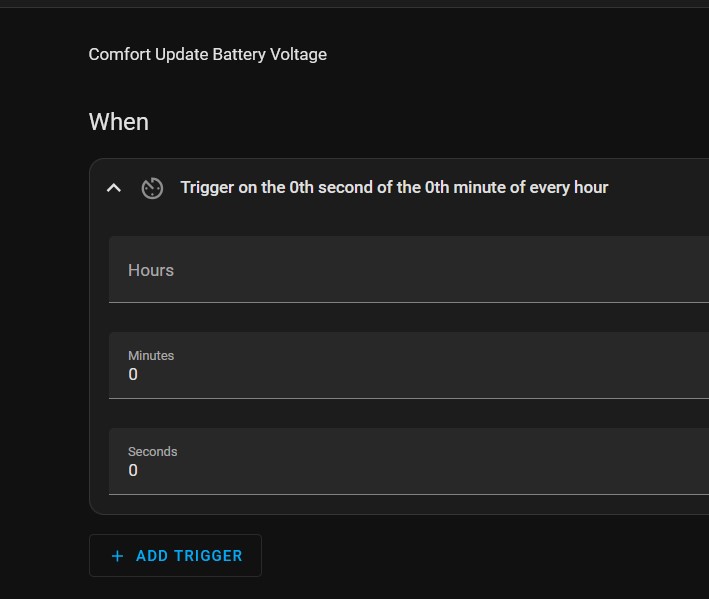
When: Select Time Pattern > select an interval eg every hour as below;
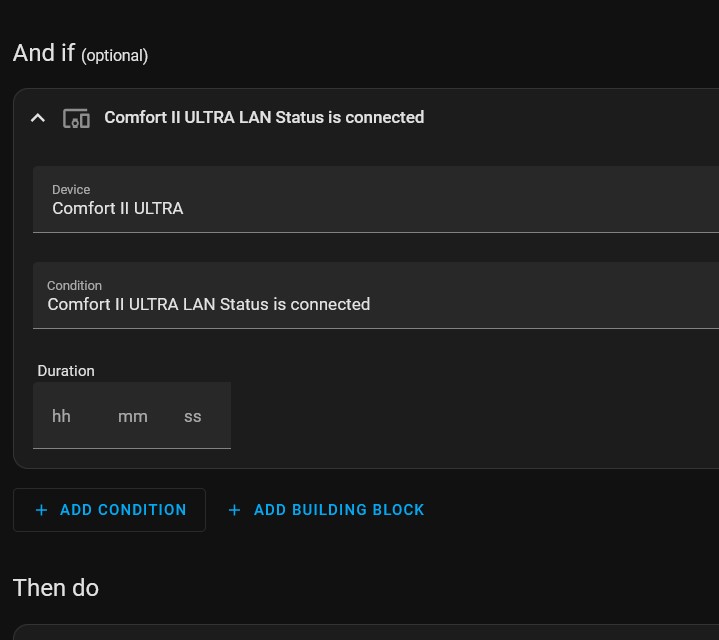
And If: selectDevice = Comfort ii Ultra,
Condition Comfort II Ultr Lan Status is Connected
Then Do: Actions >perform an action
select MQTT Publish Topic comfort2mqttalarmbattery_update
Payload =0
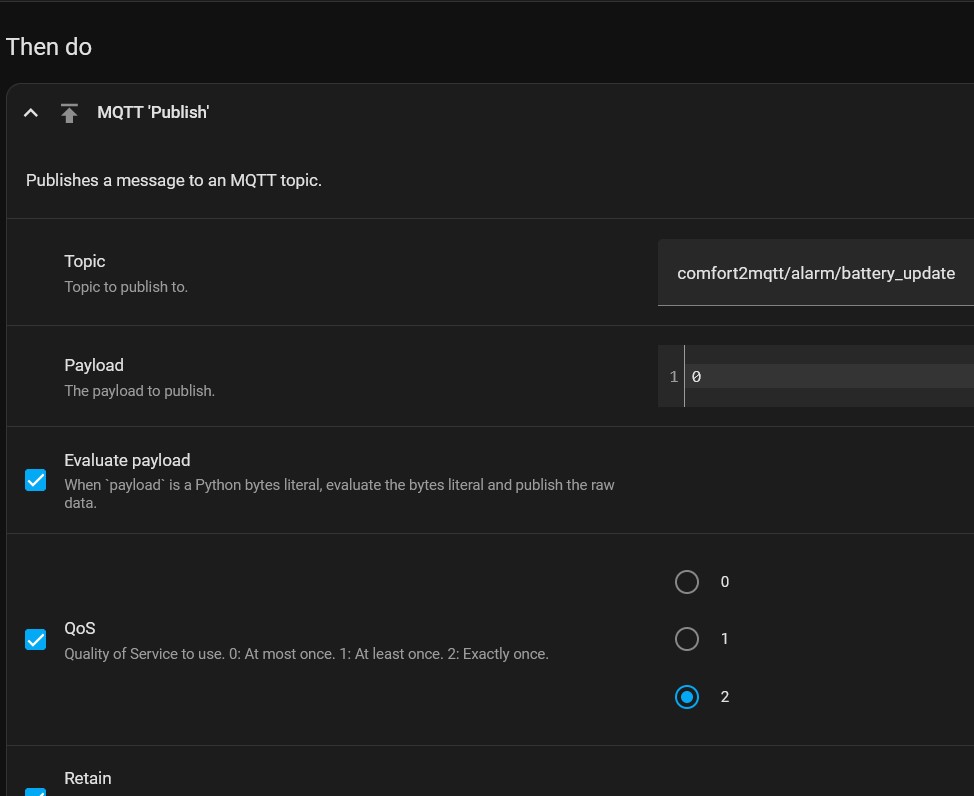
Payload \"0\" means for Comfort and all Connected Slaves.
Payload \"1\" means Comfort Only.
Press Save and name it eg Comfort battery Update Voltage
Create Automation:
When: Select Time Pattern > select an interval eg every hour as below;
And If: selectDevice = Comfort ii Ultra,
Condition Comfort II Ultr Lan Status is Connected
Then Do: Actions >perform an action
select MQTT Publish Topic comfort2mqttalarmbattery_update
Payload =0
Payload \"0\" means for Comfort and all Connected Slaves.
Payload \"1\" means Comfort Only.
Press Save and name it eg Comfort battery Update Voltage
12-20-2024, 08:18 AM
To see the Charger and Battery Voltage status on the dashboard, go to the Dash board, select the Pen icon on top right to Edit, press add Card on bottom right.
Which Card would you like to Add ?
select By Entity
select the entities
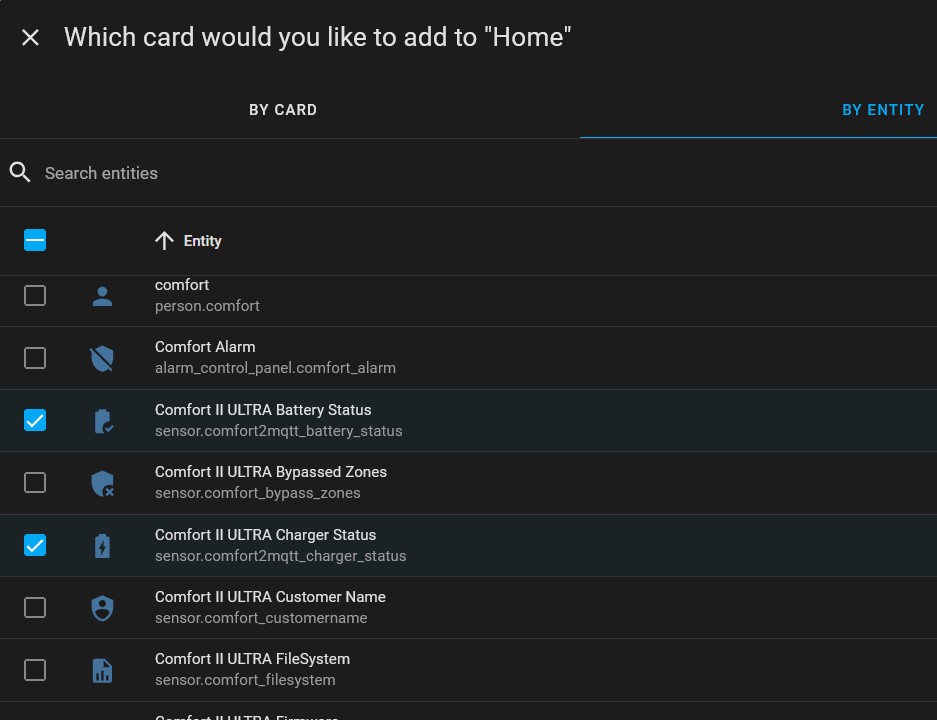
select Comfort II Ultra Battery Status and Comfort II Charge Status, then Press Continue, and acceot the suggestion given by Home Assistant
Which Card would you like to Add ?
select By Entity
select the entities
select Comfort II Ultra Battery Status and Comfort II Charge Status, then Press Continue, and acceot the suggestion given by Home Assistant