11-09-2012, 07:58 AM
Sometimes it happens that one of the SEM modules looses power (both battery and main) due to some problems with wiring (which we\'re working on).
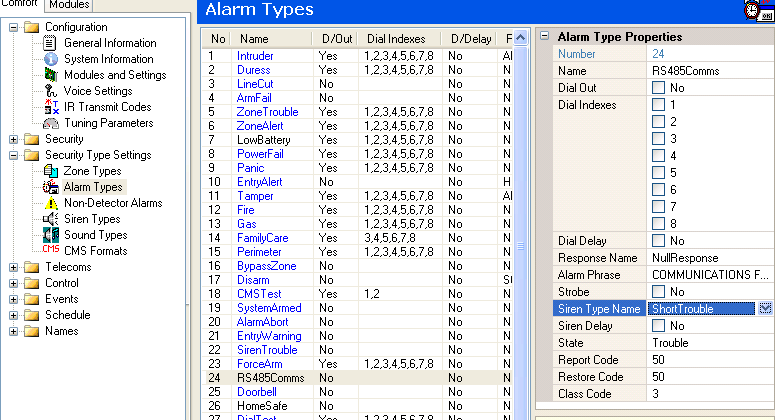
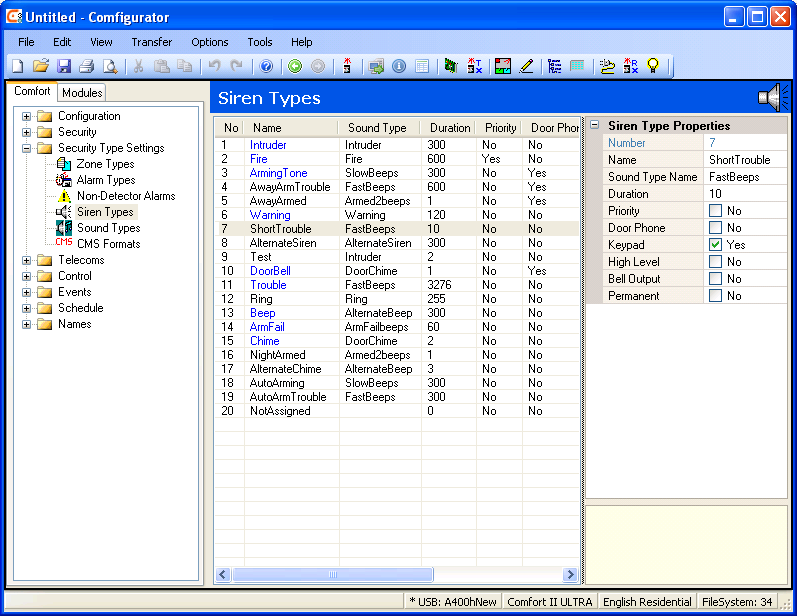
In such case, the keypad starts emitting very, very loud beeps, announcing this error.
The user, naturally, doesn\'t want to be disturbed about such technical issues (it is sufficient that a maintenance guy receives the alarm on his mobile number).
What do we need to do to turn of such annoying alarm reporting on the keypad (so that it only gets reported by phone)?
In such case, the keypad starts emitting very, very loud beeps, announcing this error.
The user, naturally, doesn\'t want to be disturbed about such technical issues (it is sufficient that a maintenance guy receives the alarm on his mobile number).
What do we need to do to turn of such annoying alarm reporting on the keypad (so that it only gets reported by phone)?